Maximize profits, control losses.Test your strategies as they perform in real markets. Optimize without overfitting. Launch without sharing keys.
Visual strategy builder, backtest with commissions, funding, and slippage, automated strategy tuning with overfitting control, trading journal with trade replay, and automated execution via self-hosted Docker script. All in one interface, no code.
Proven sets of configurations for instant strategy setup in just a few clicks without manual tuning.
Maximum modeling accuracy considering real commissions, funding, and slippage.
Telegram, Email, Socket, Browser, In-App.
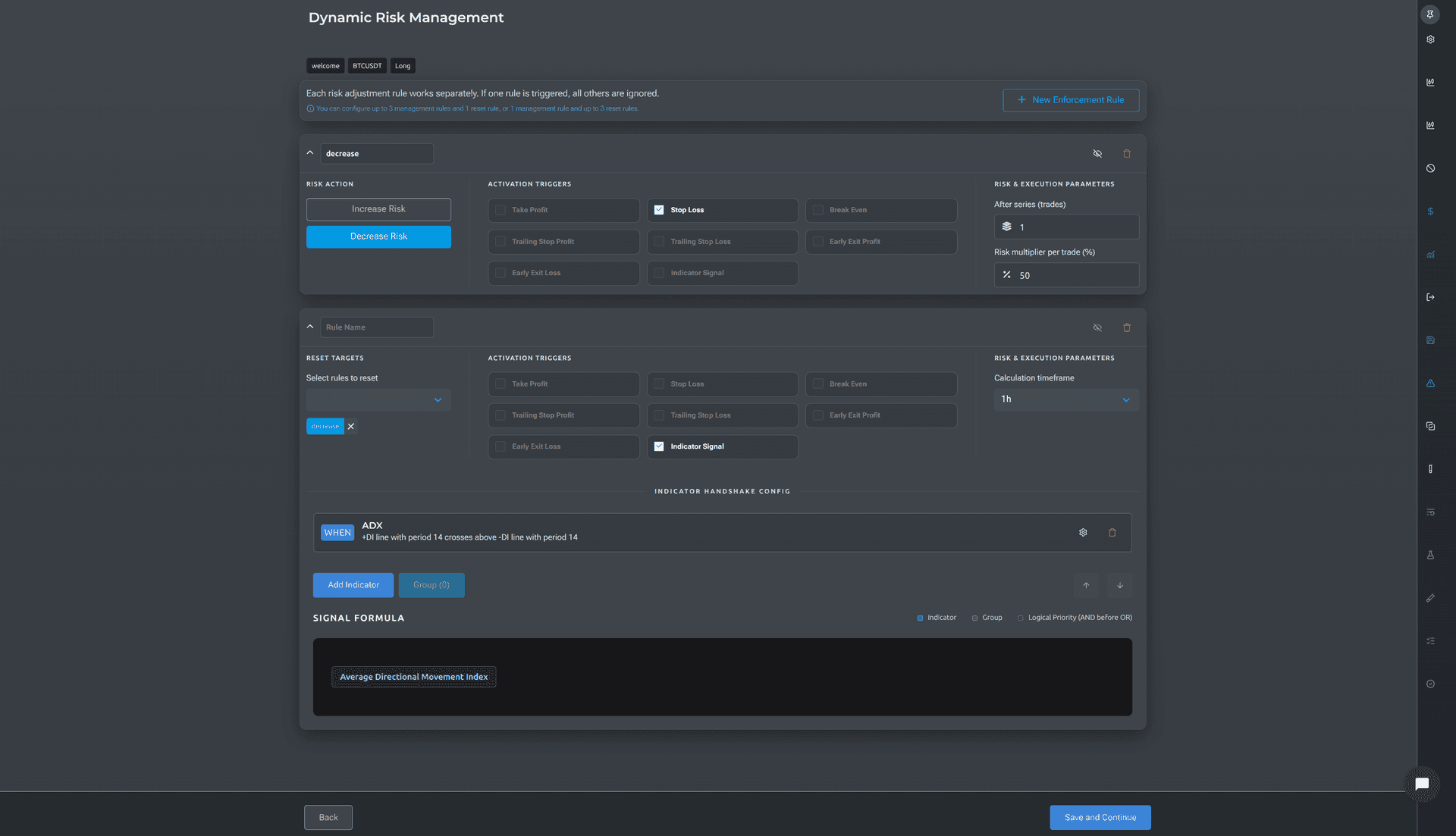
Full development cycle: from basic indicator to dynamic risk management.
Start from proven setups or save your own as a base. Build variations on top — the original template stays untouched, so you can experiment without breaking what already works.
TradingView shows charts. Veskald tests if your idea works.
Veskald starts where chart analysis ends. You spotted a setup, noticed a pattern, formulated a hypothesis — Veskald lets you turn it into a testable strategy, check it on historical data under realistic conditions, optimize parameters, and launch. Without a single line of code.
You can use both tools together: find ideas in TradingView, test and launch in Veskald.
4 steps from idea to working strategy
Build your strategy
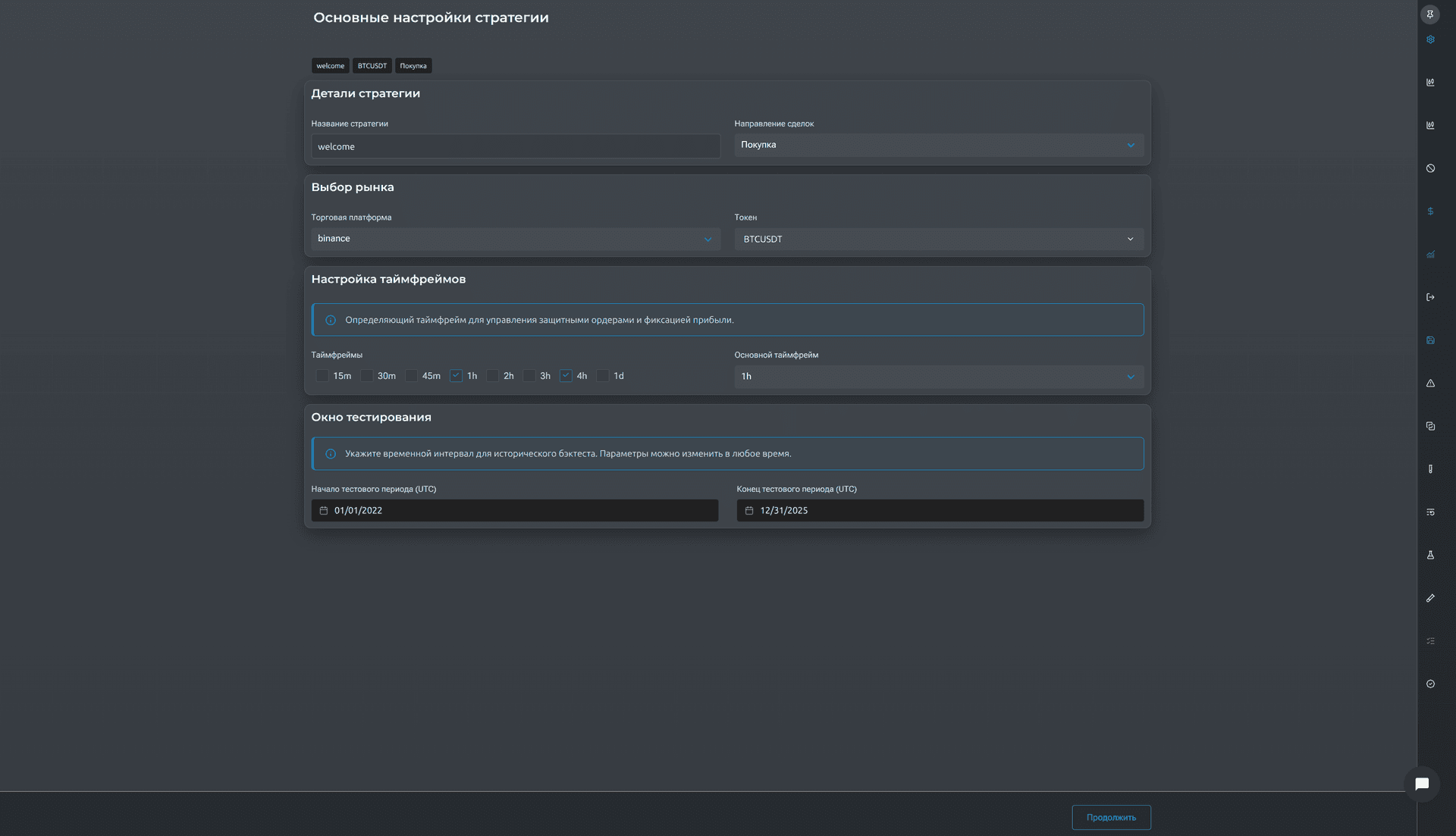
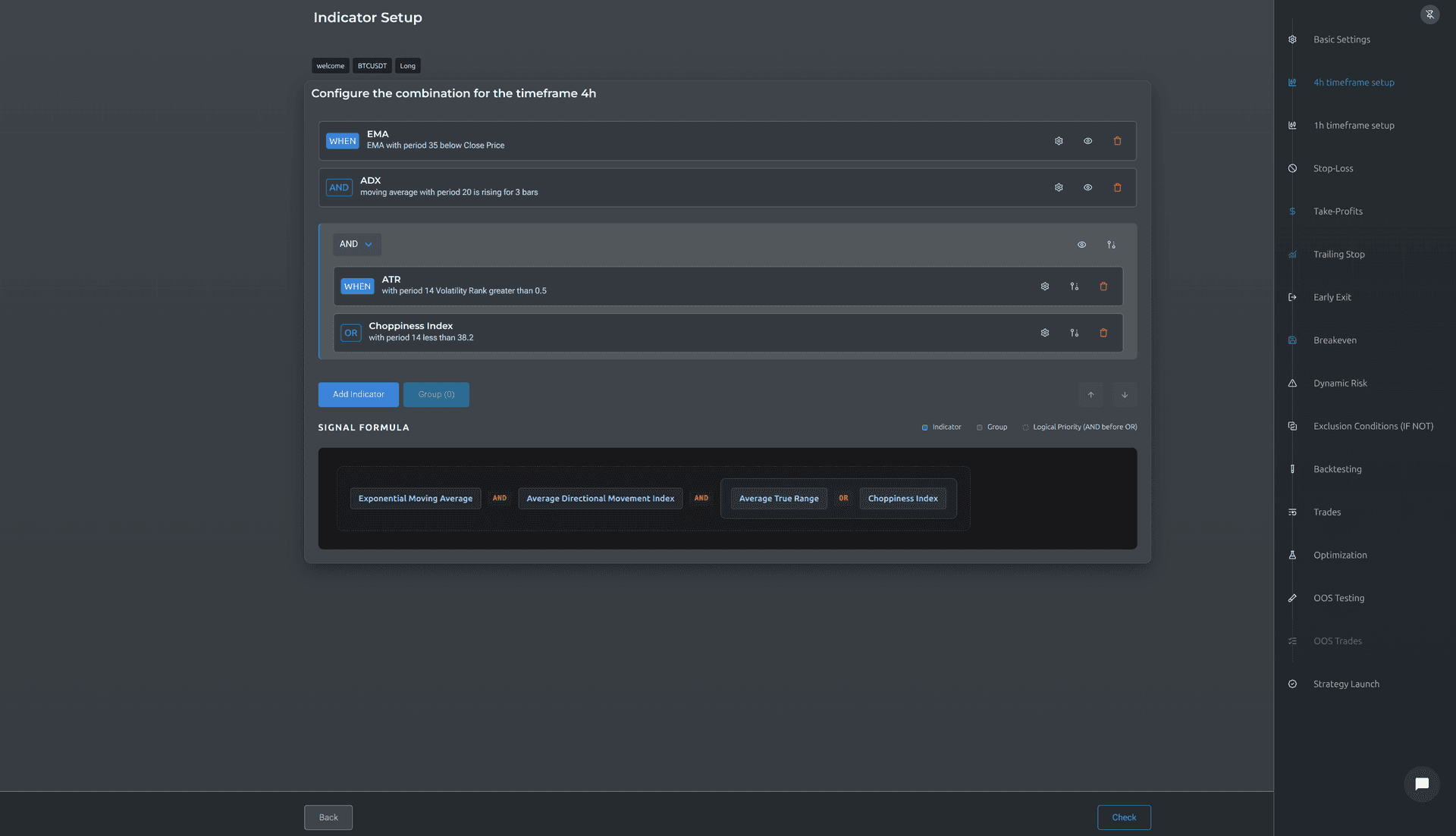
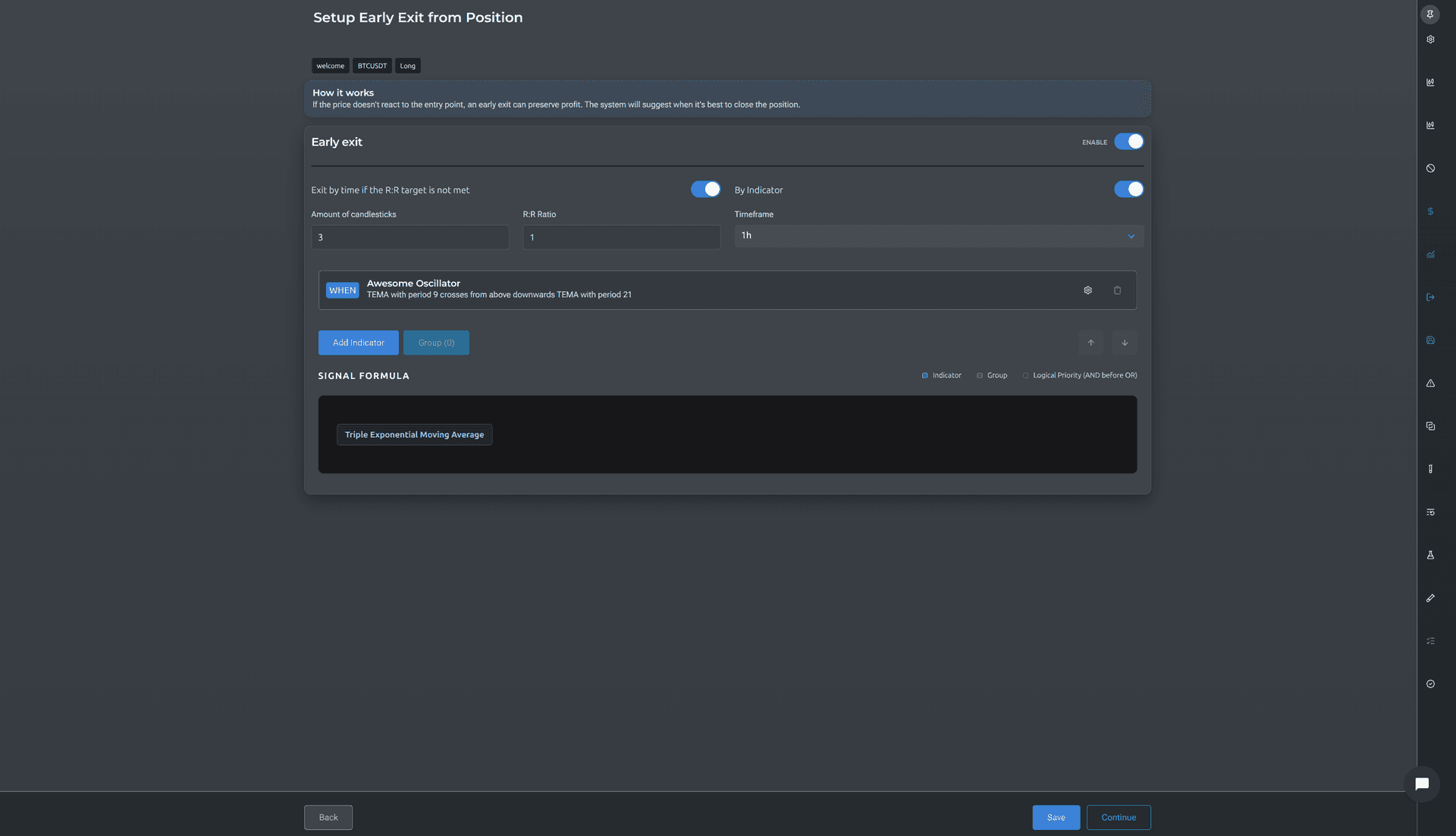
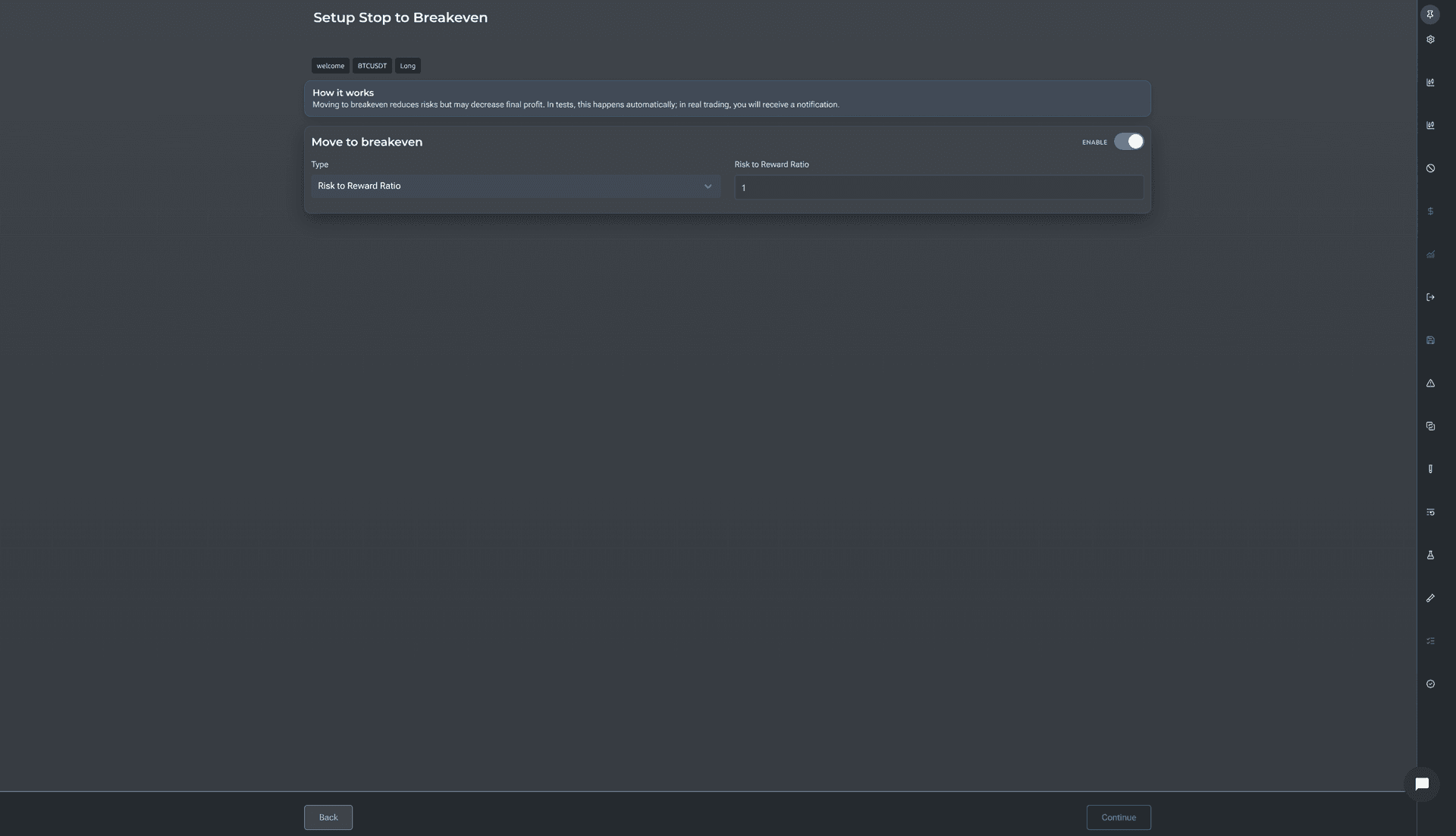
Select indicators, set entry and exit conditions, stop-loss, take-profits, trailing-stop — through a visual interface, step by step.
Test on history
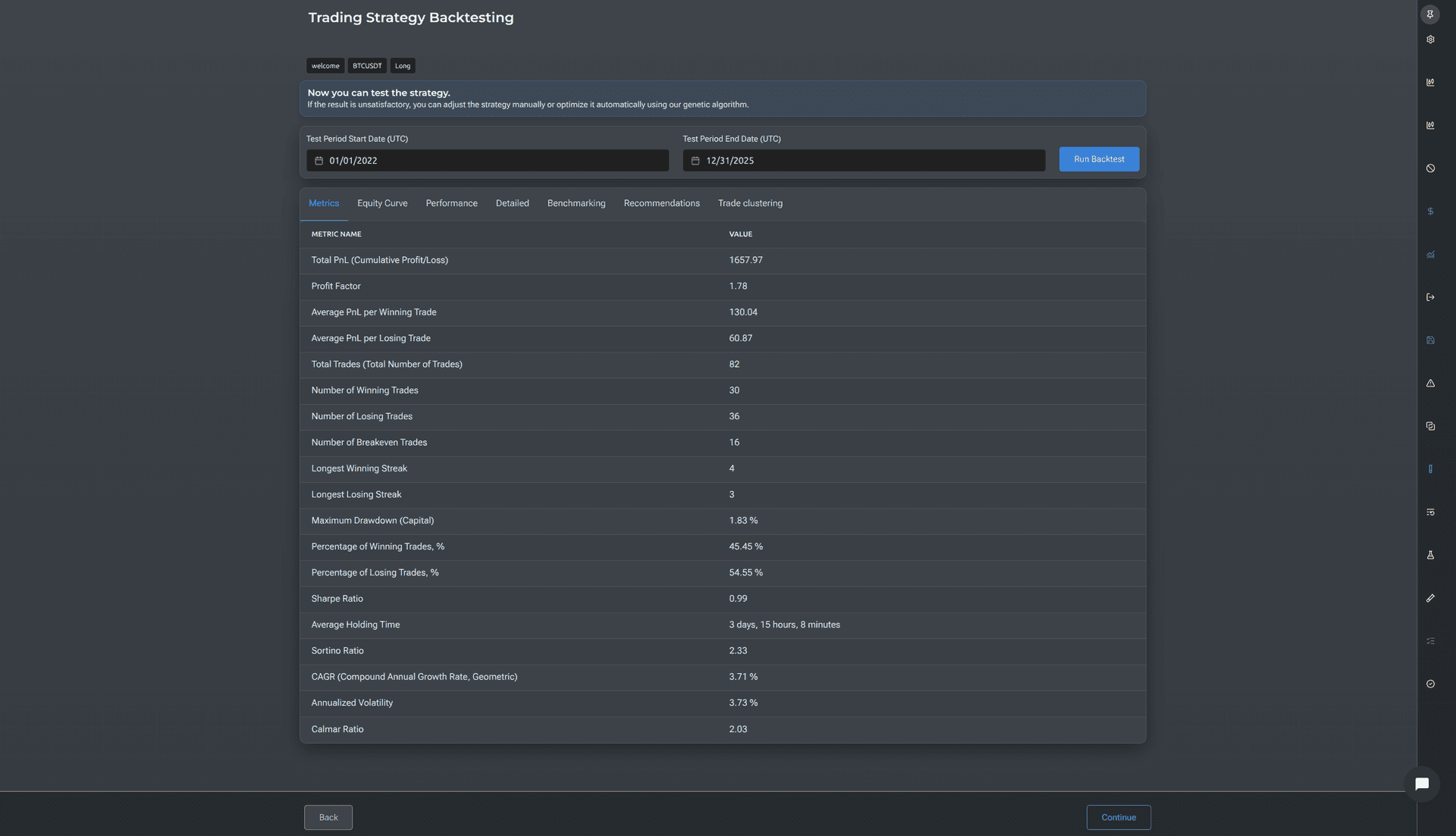
The backtest accounts for exchange commissions, slippage, and funding. You see each trade, the equity curve, 20 performance metrics, and a Monte Carlo stress test.
Optimize parameters
The automated tuning algorithm iterates through thousands of combinations and finds parameters that produce stable growth — not extreme historical results. The In-Sample / Out-of-Sample split protects against overfitting.
Launch
The strategy sends notifications via Telegram, Discord, Email, or Webhook. Or trades automatically via an open-source Docker script that you host yourself. Trading keys never leave your infrastructure.
Professional Trader Tools
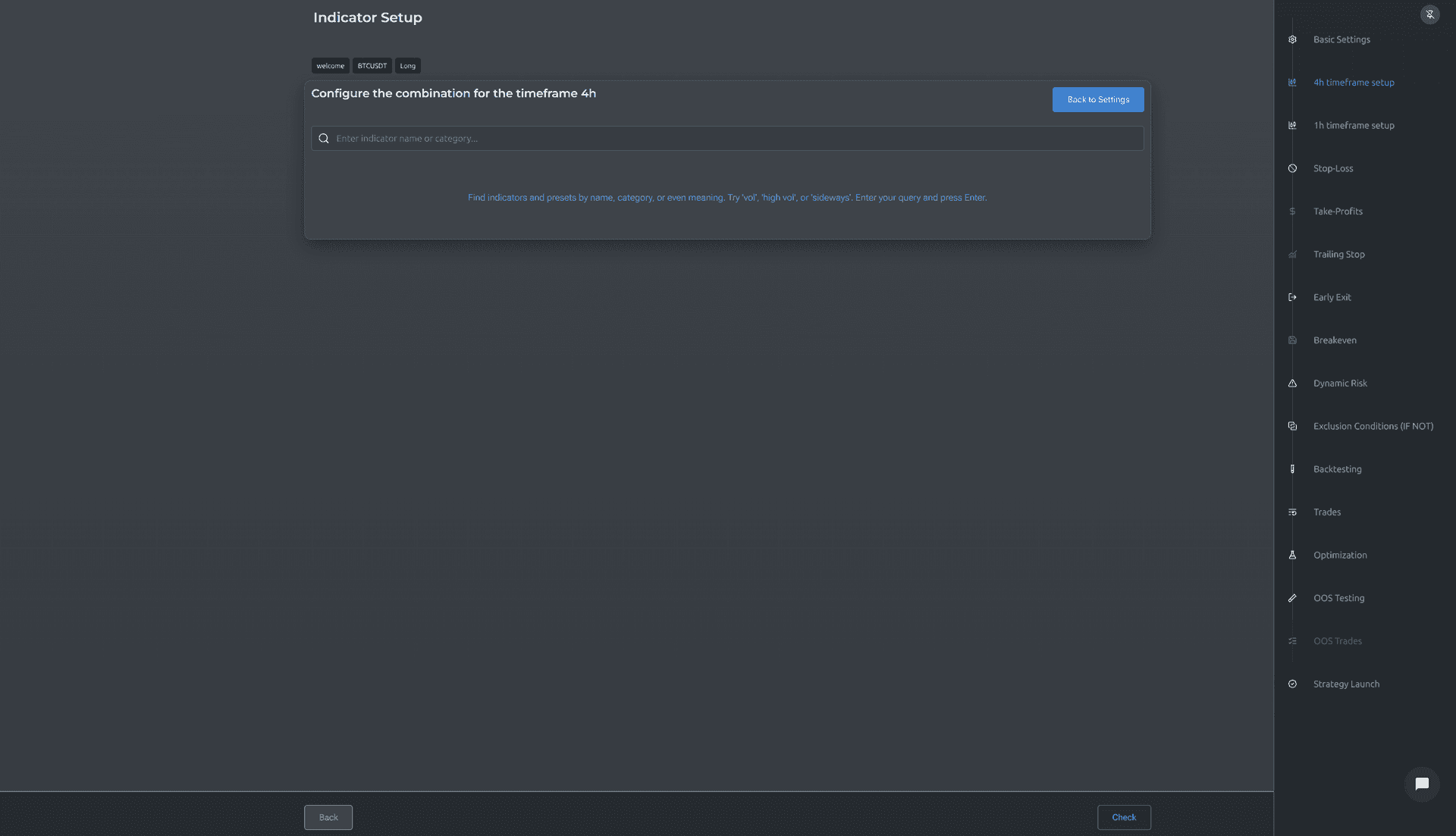
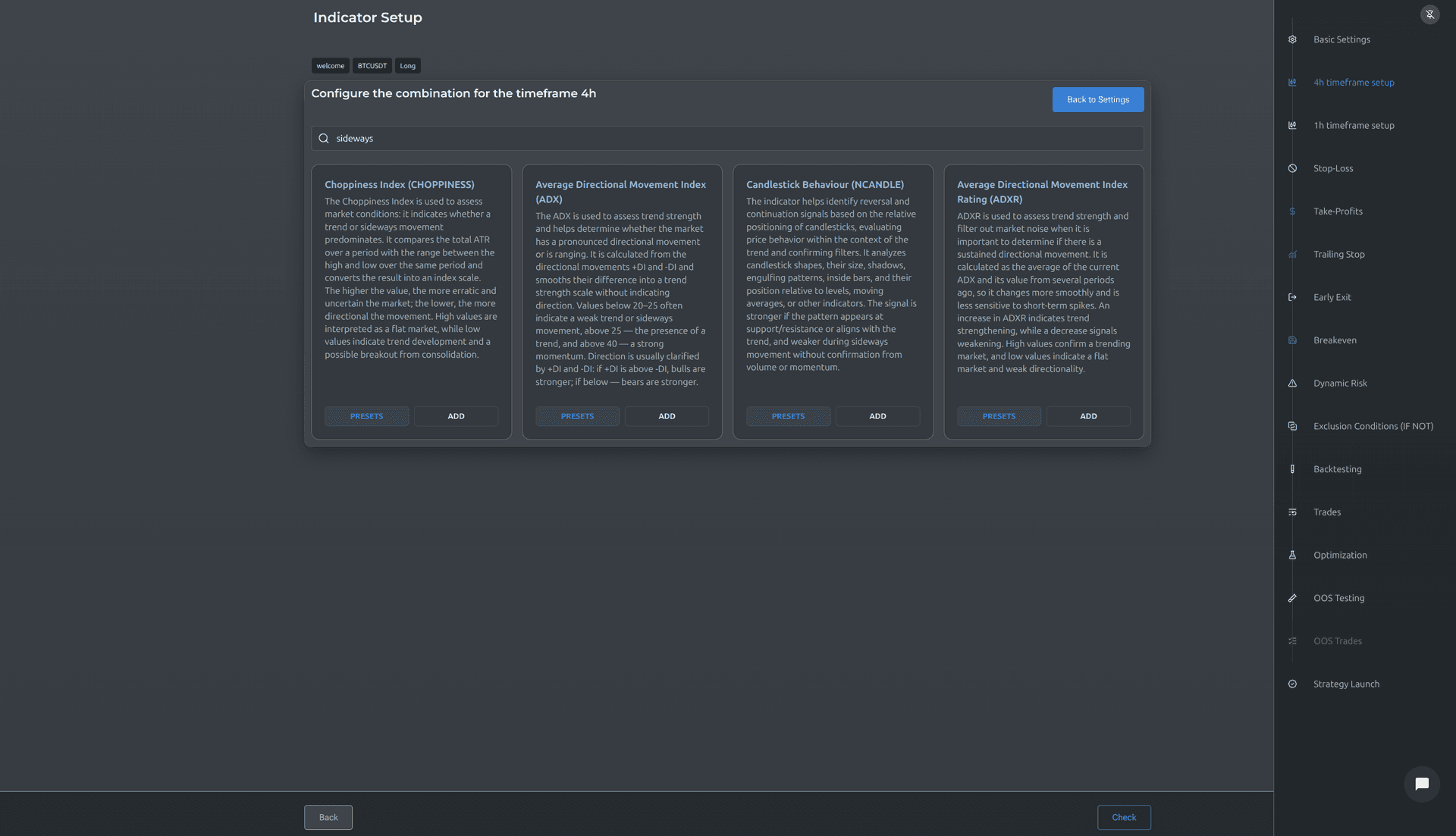
Strategy Builder
10 steps. Any complexity. No code.
Didn't find the indicator you need? Send a request — we'll consider adding it.
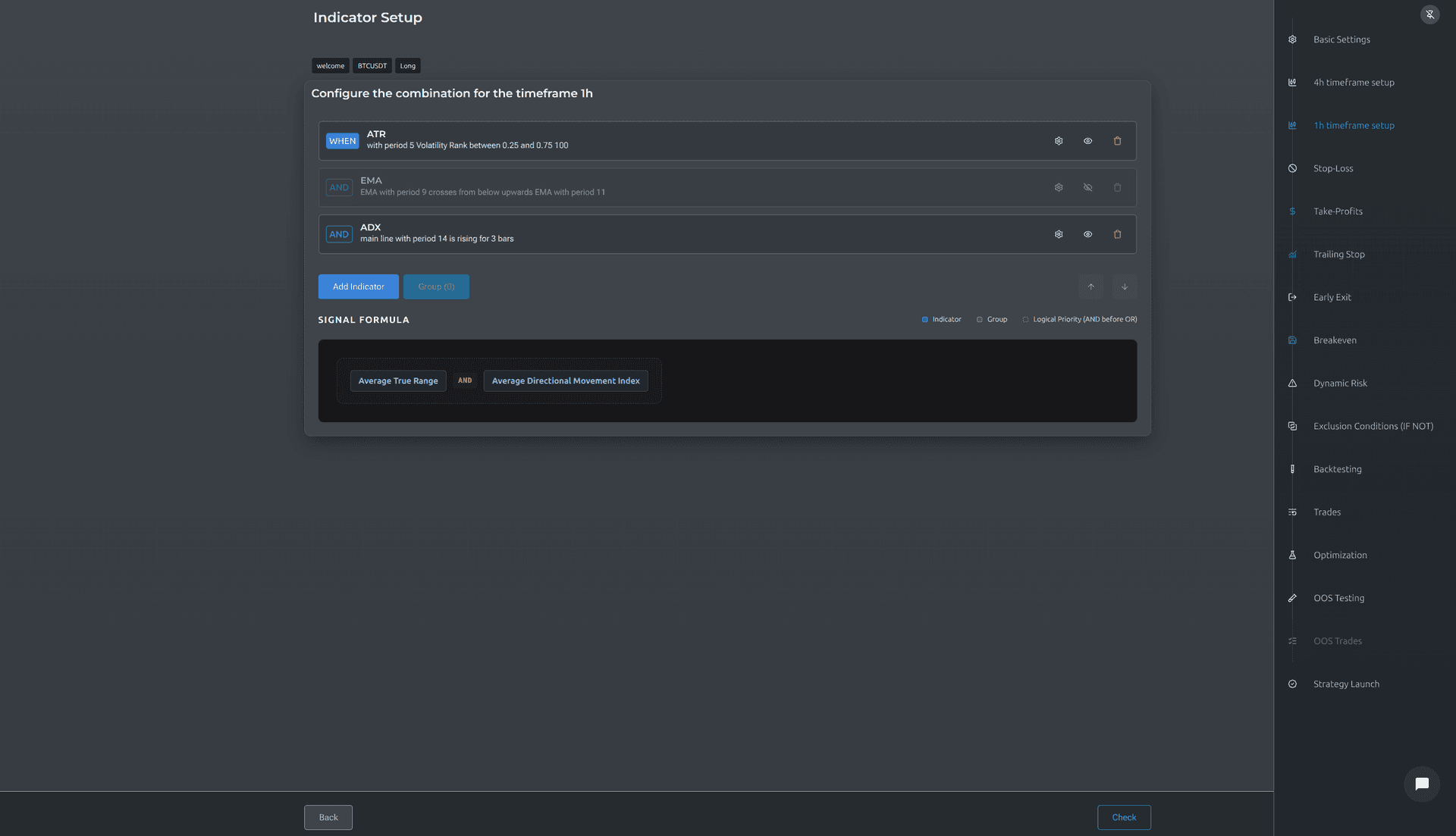
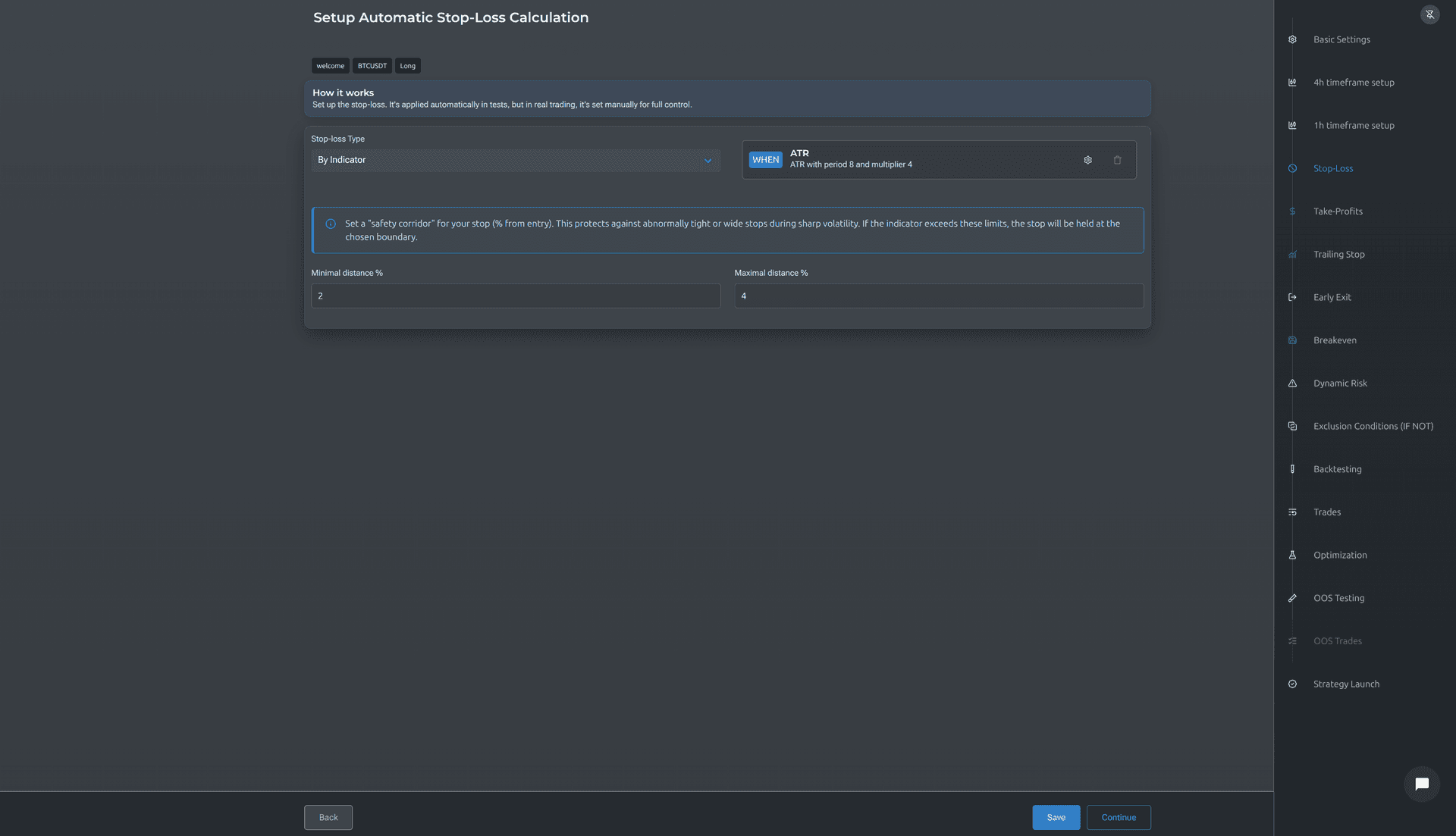
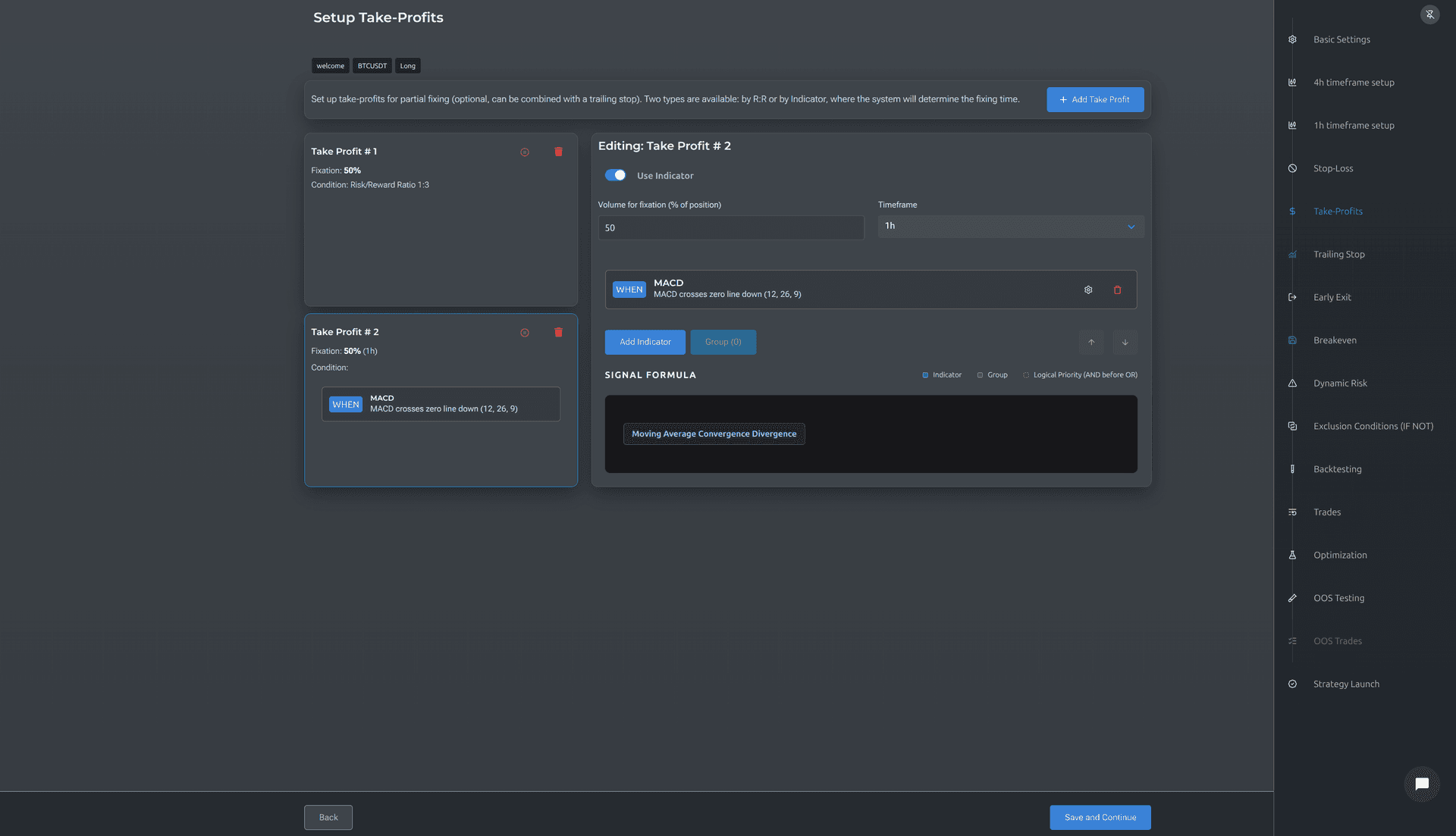
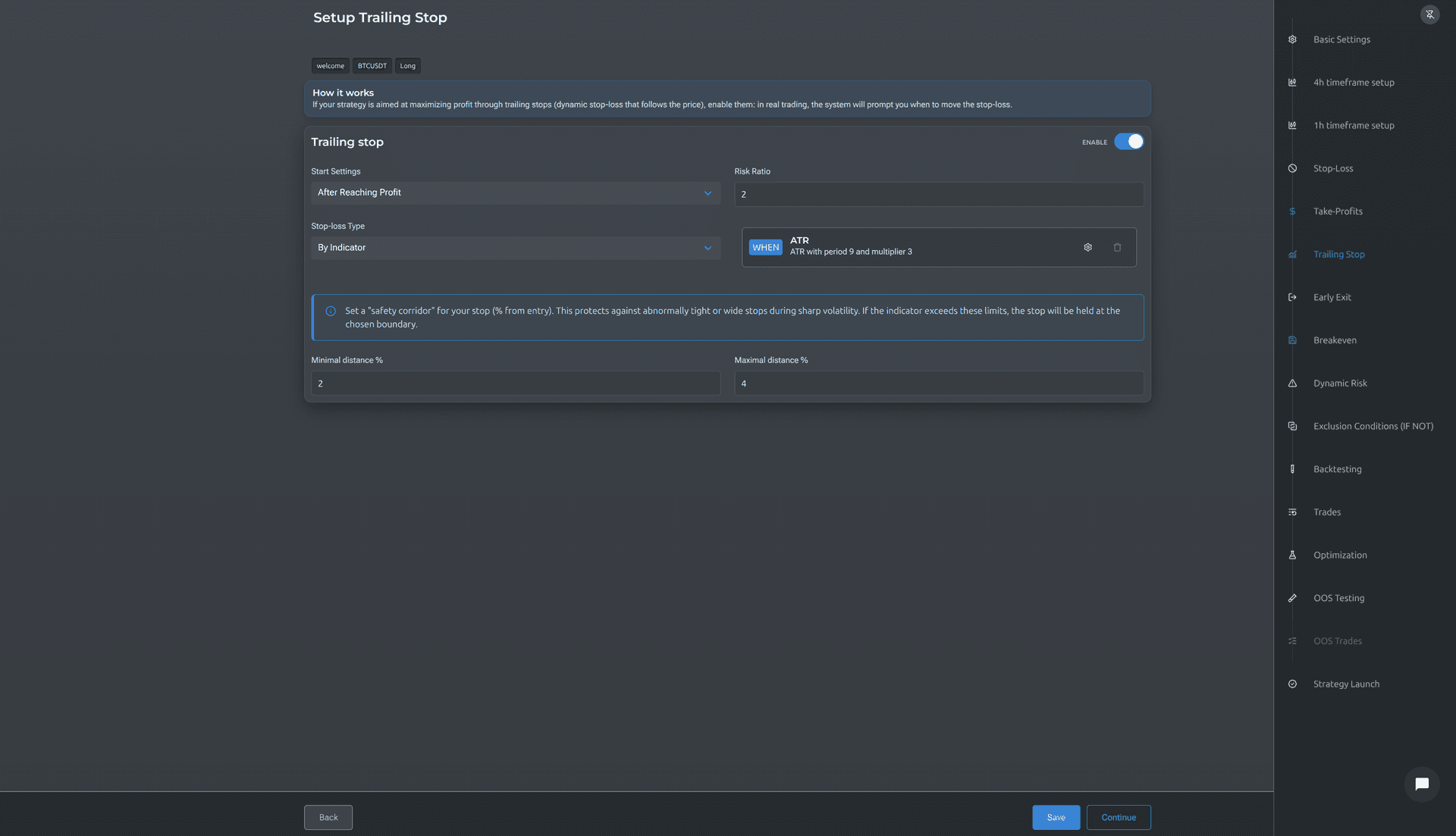
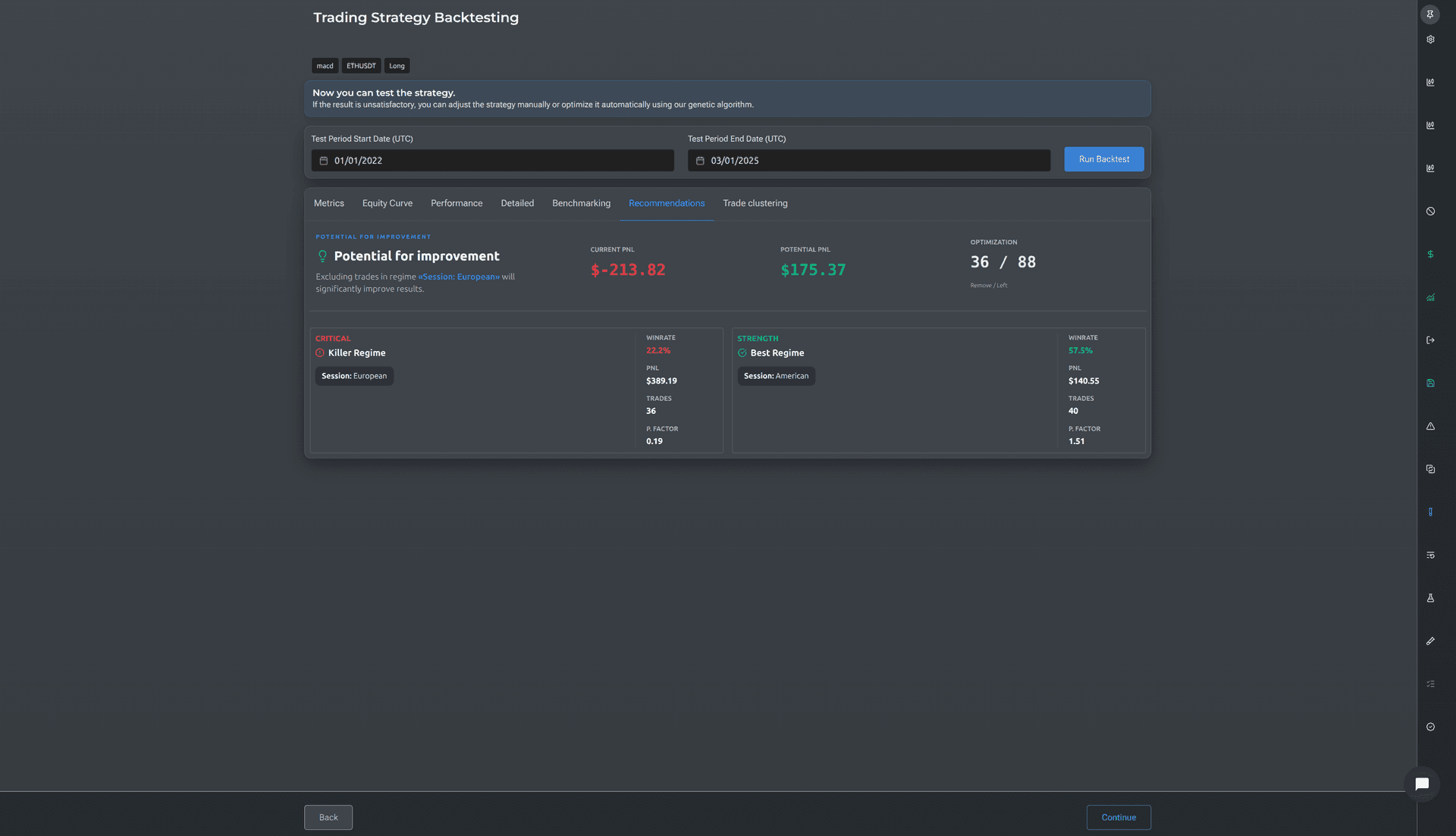
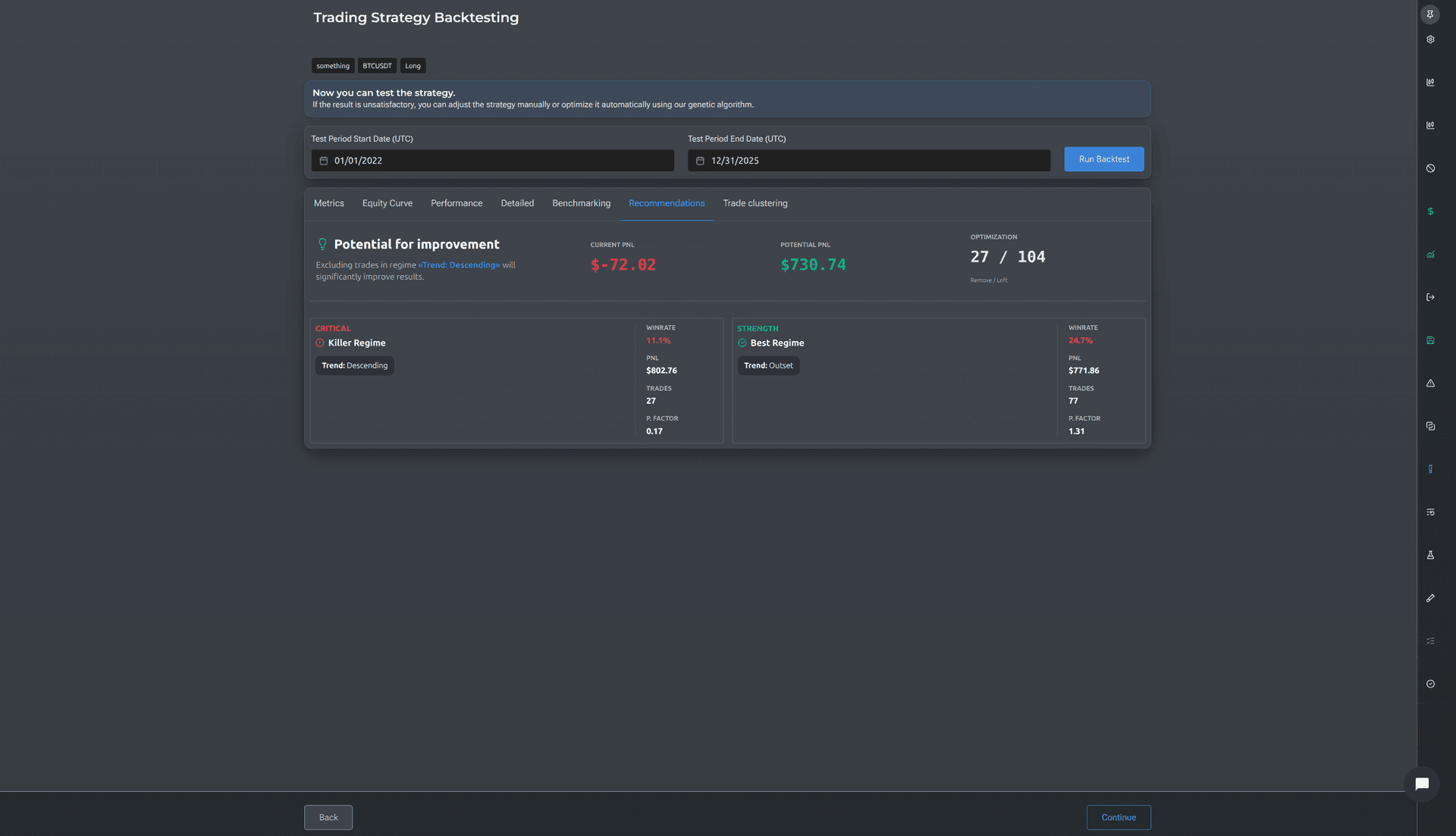
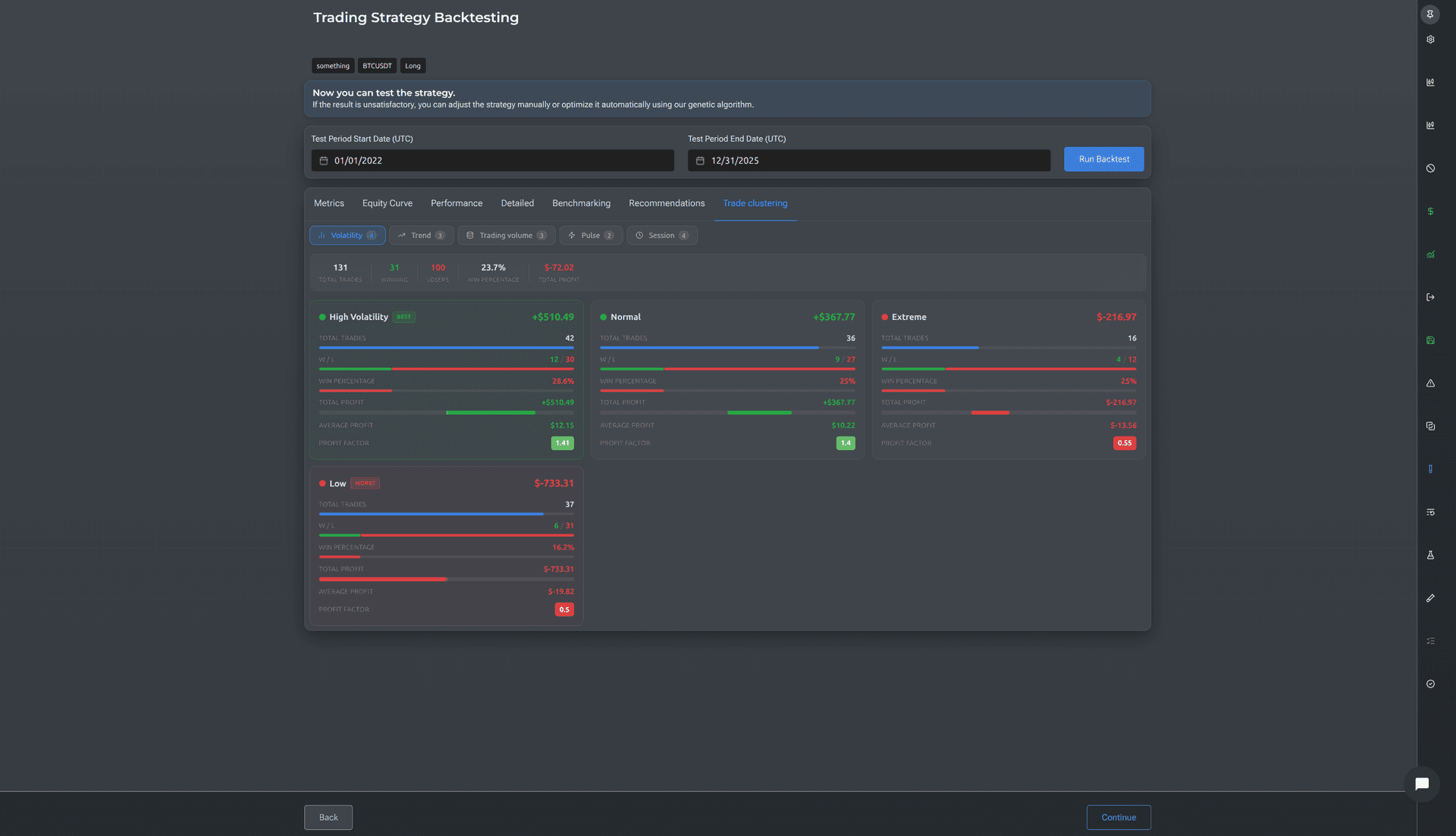
Backtester
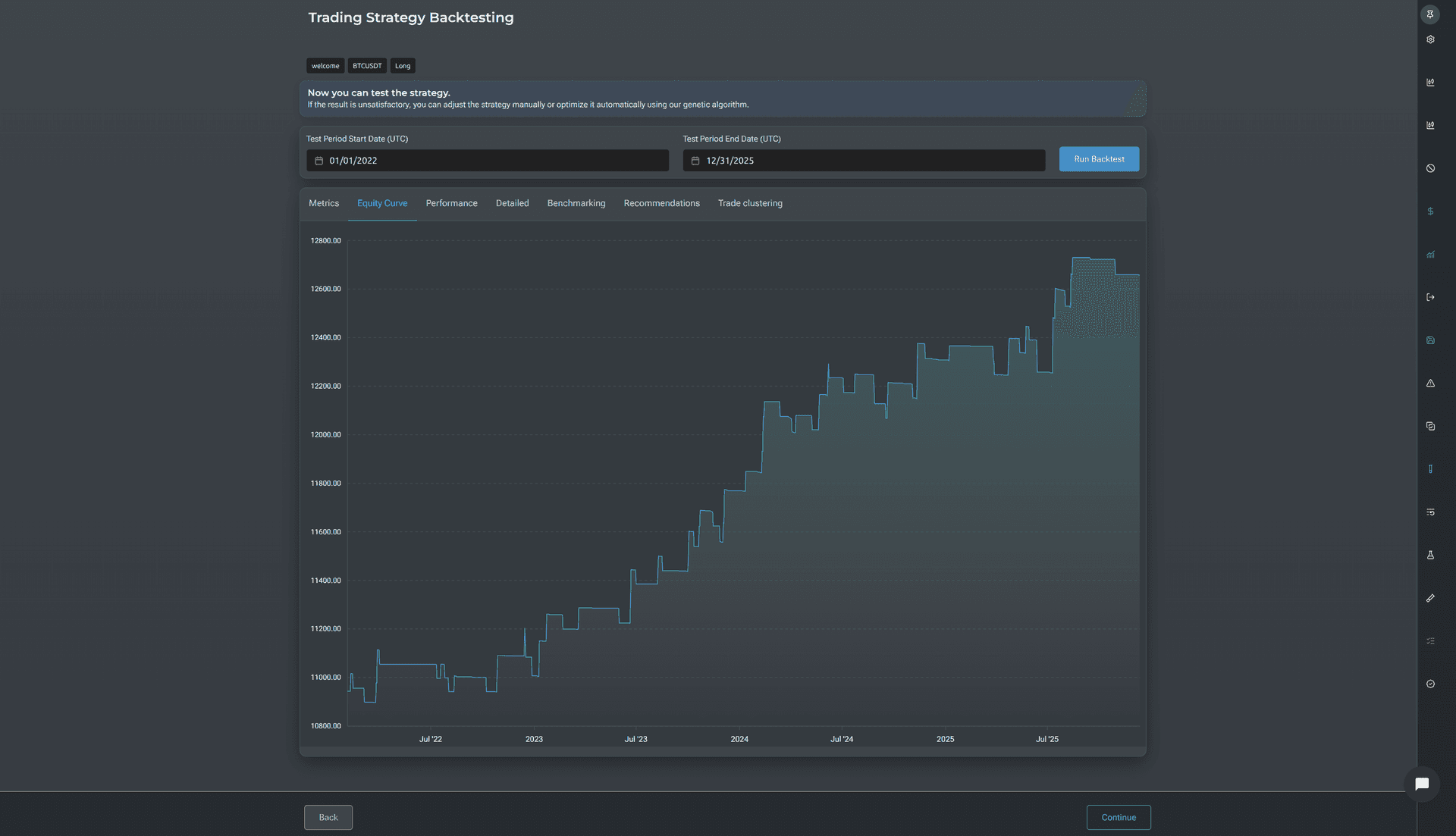
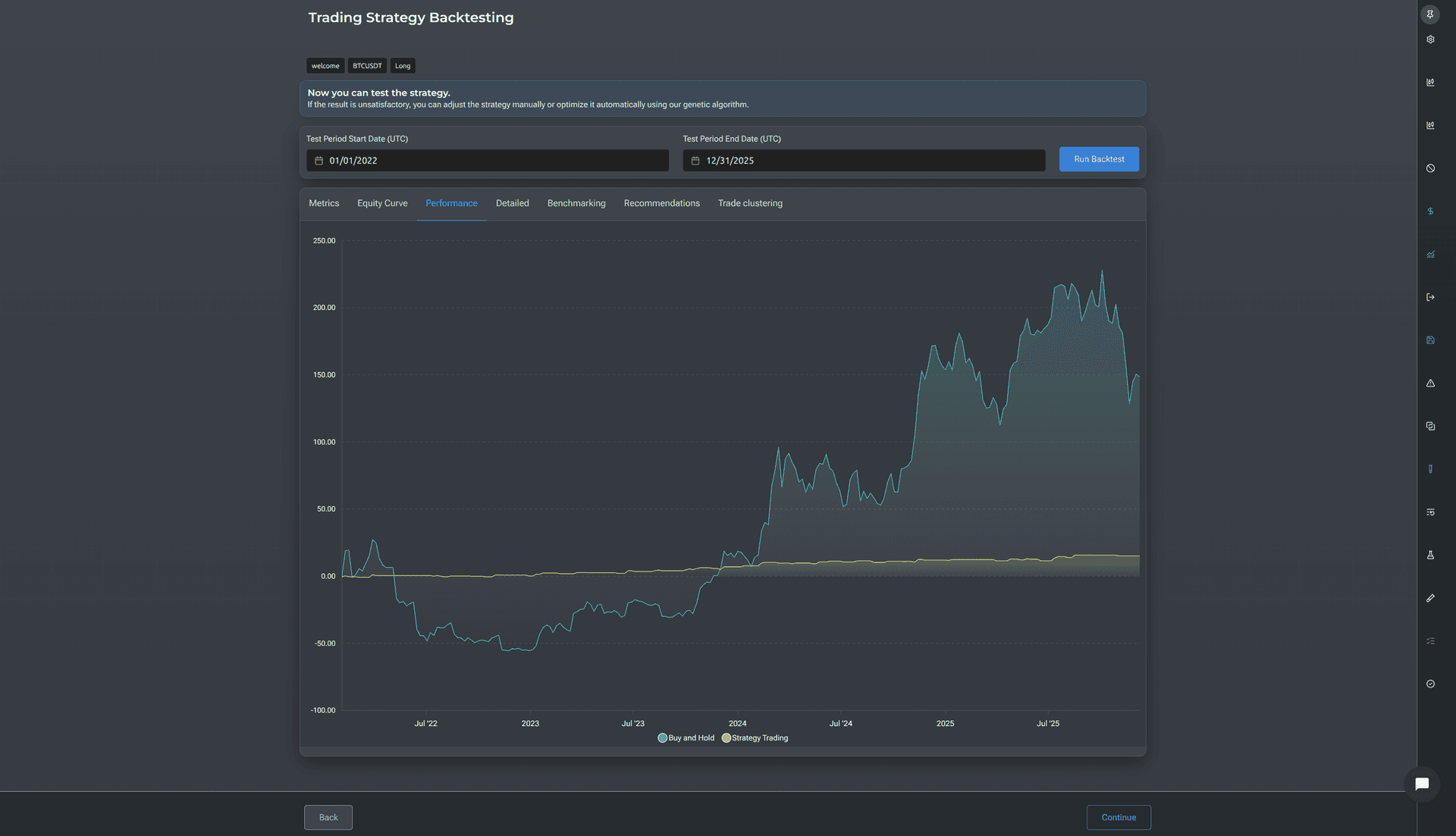
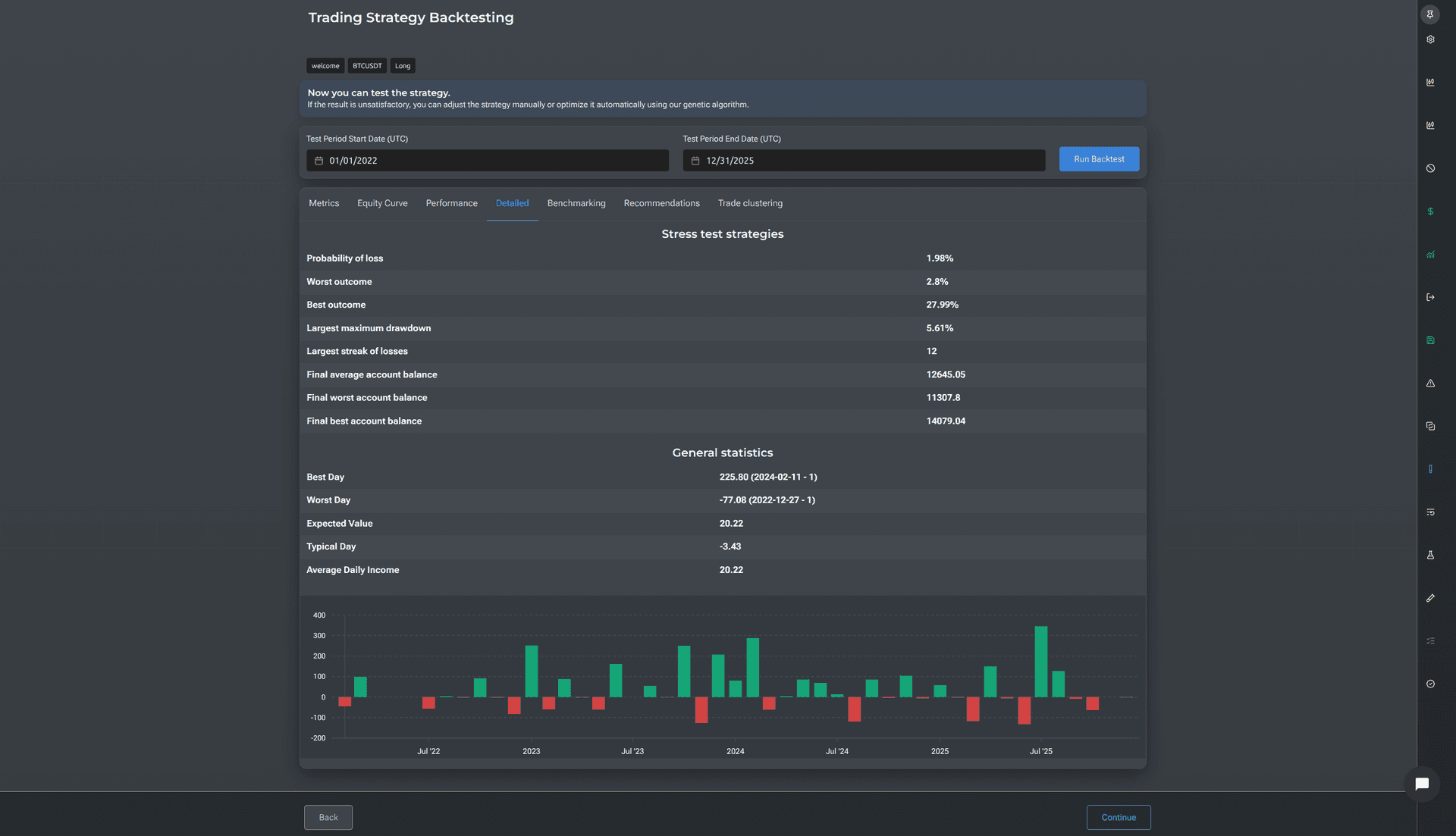
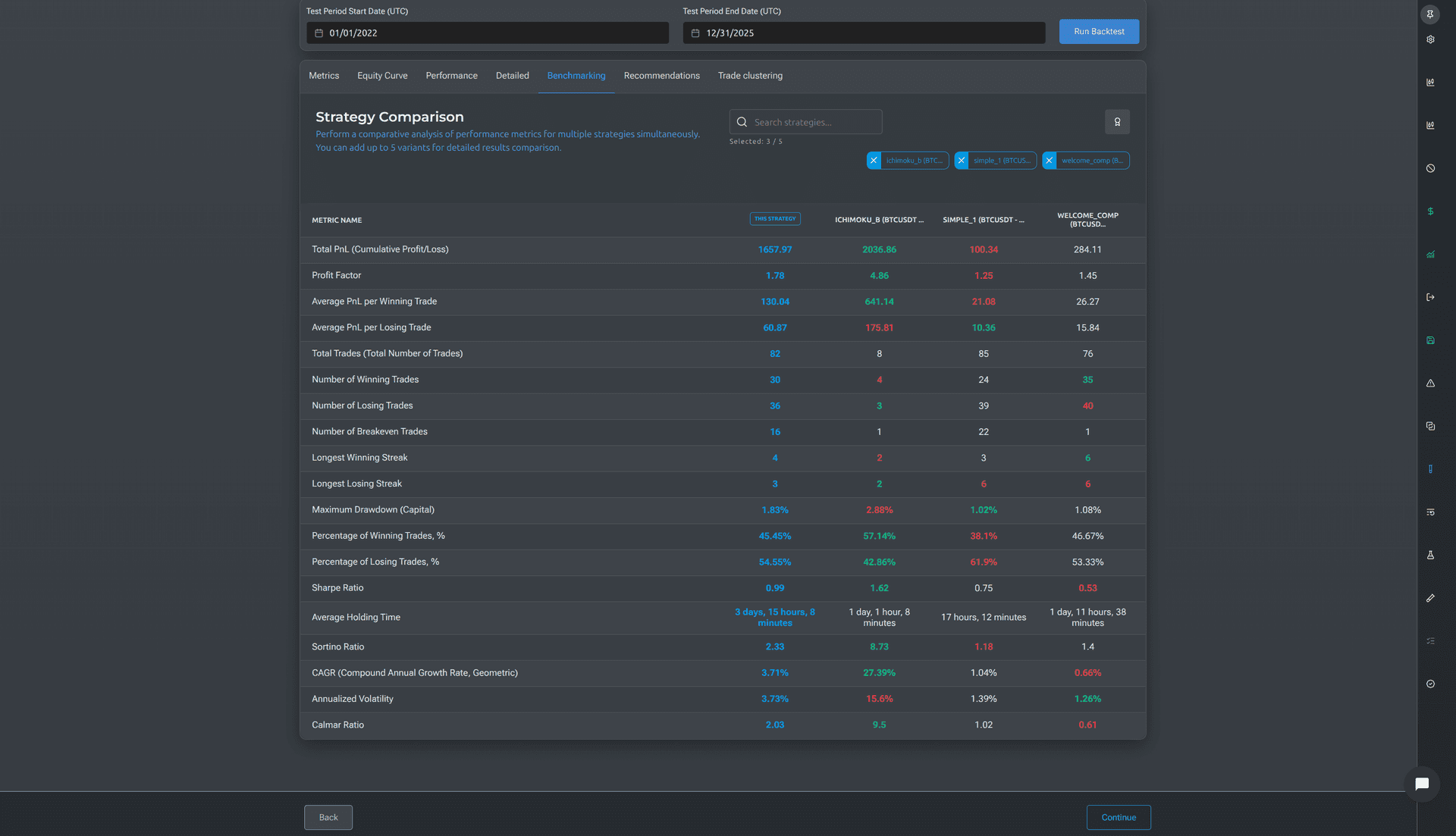
Backtest considering real costs — commissions, slippage, funding
Most backtesters show an ideal picture: no commissions, no slippage, no funding. The results look beautiful but have nothing to do with reality.
Veskald simulates all the costs you'll actually pay on the real market. On trades up to $300, the backtest deviation from real results stays within fractions of a percent — and you can verify this in the Execution Log.
What you see after backtest
- 20 performance metrics: Profit Factor, Sharpe, Sortino, Calmar, Max Drawdown, CAGR
- Equity Curve — capital curve with zoom capability
- Comparison with Buy & Hold
- Monte Carlo Stress Test
- Clusters
- Insights
- Every trade available for analysis
Automated Strategy Tuning
Replaces weeks of manual work by automatically identifying the most stable parameters for your strategy.
Manual parameter selection takes weeks of work and dozens of attempts. Veskald's automated tuning algorithm runs through thousands of combinations. But what matters isn't speed — it's the approach.
Veskald works differently
Smooth equity curve
the algorithm optimizes not for maximum profit, but for consistent growth
Population diversity
if all variants become too similar, the system intervenes
Out-of-Sample validation
after optimization, validates on data that wasn't used during selection
Exclusion periods
can remove anomalous periods (flash crashes)
Trading Journal and Execution Log
Every trade under a microscope
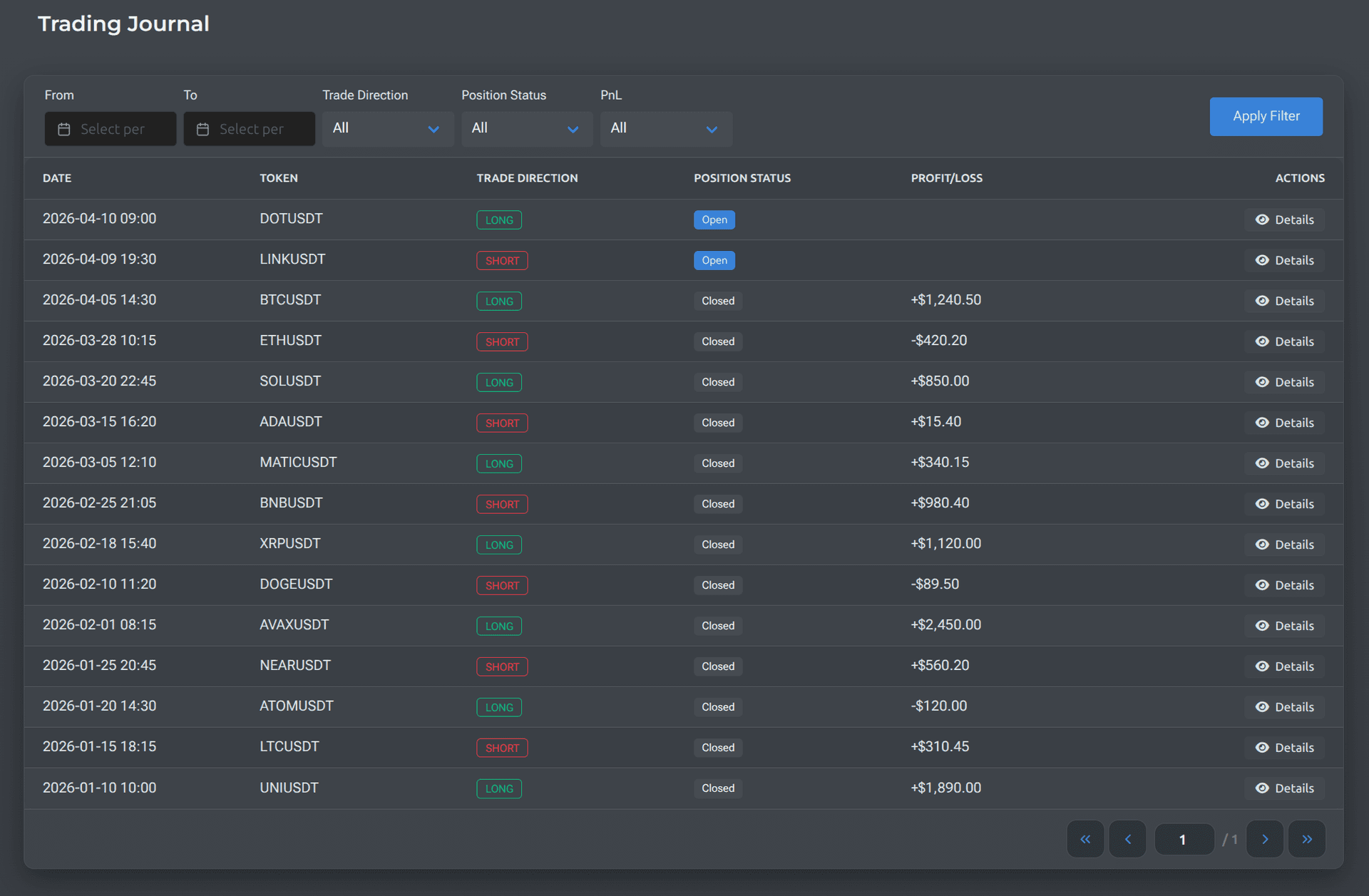
Trading Journal
Full trade history with filters by date, direction, status, and result. Every trade can be opened and replayed candle by candle — like a video player, but for the chart. You see how the situation developed, what news broke at each candle, and what decisions the strategy made.
Execution Log
A side-by-side comparison of backtest and reality. For each trade, the table shows what the test expected and what actually happened. Green checkmark — matched. Red triangle — divergence, needs investigation. If divergences are systematic, that's a reason to review parameters. If isolated, that's normal market noise.
One strategy is a bet. A portfolio is a business.
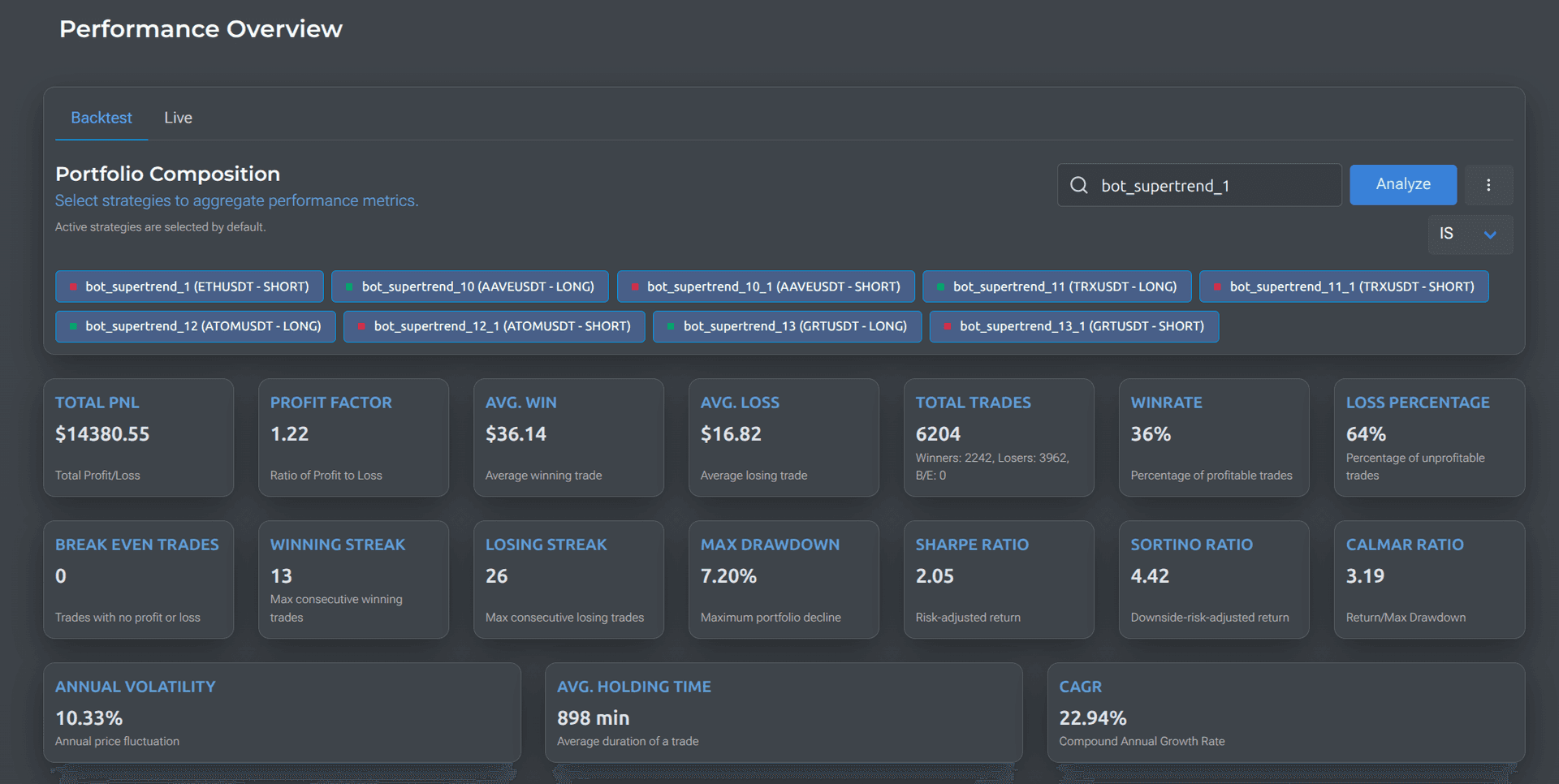
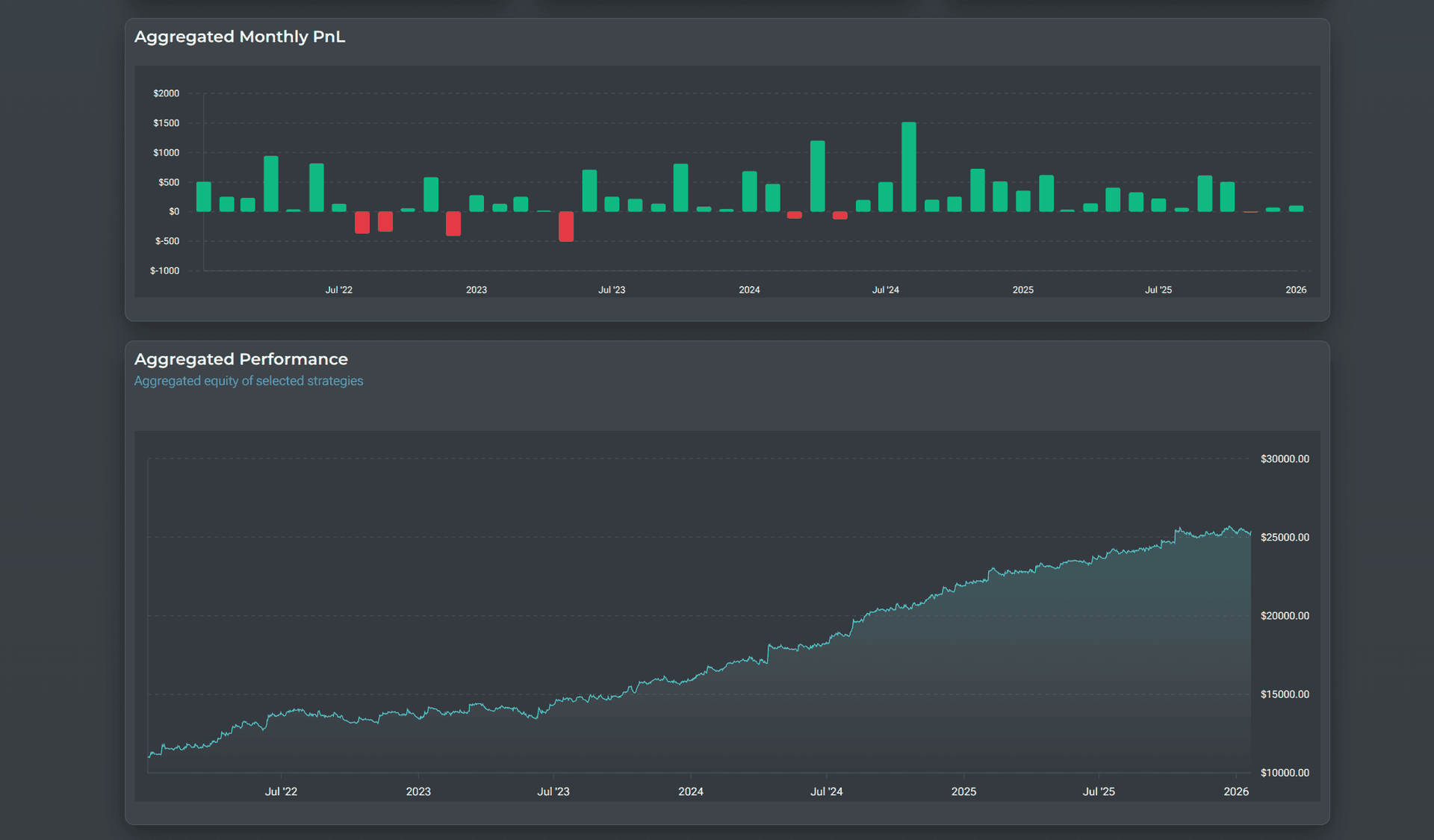
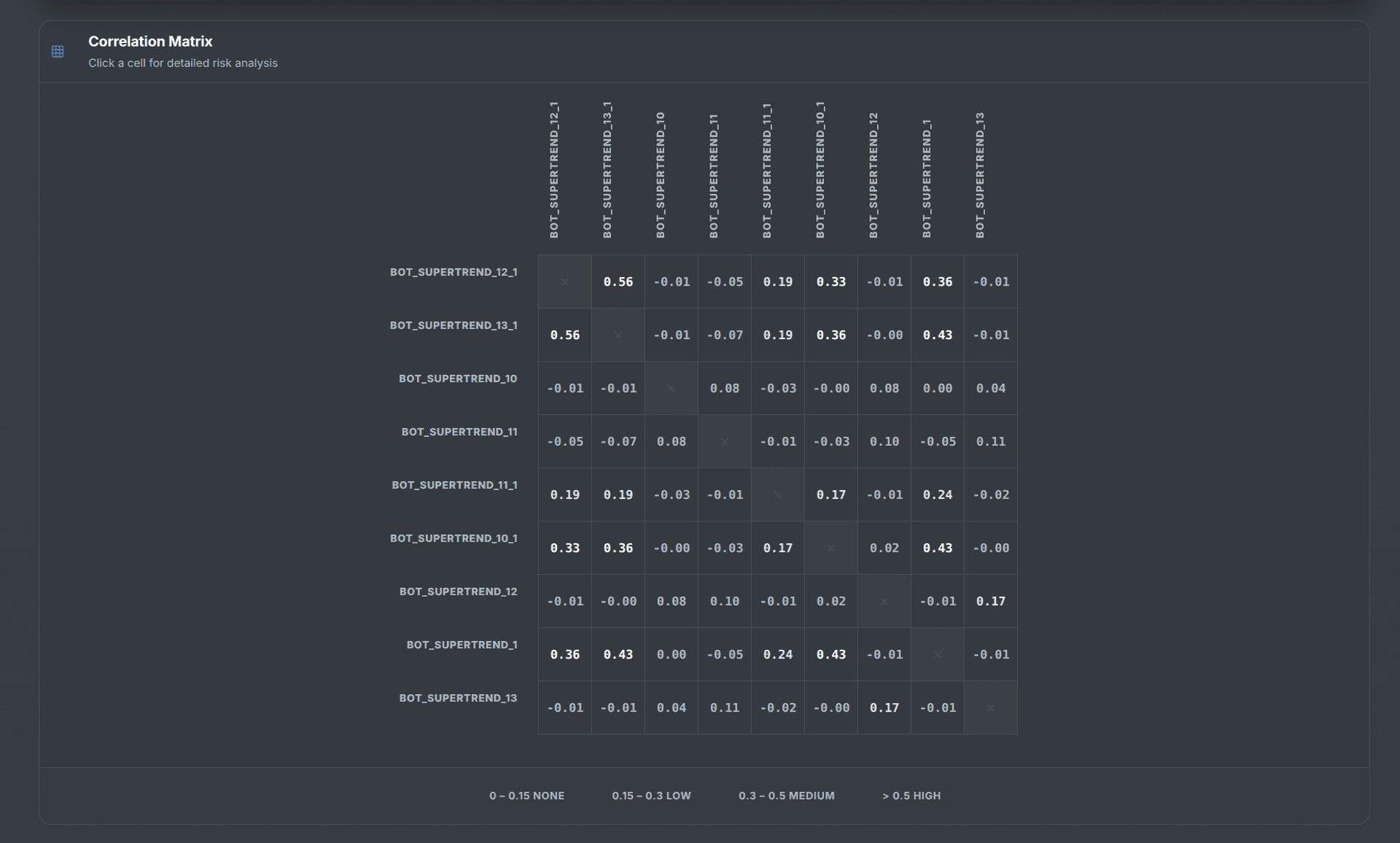
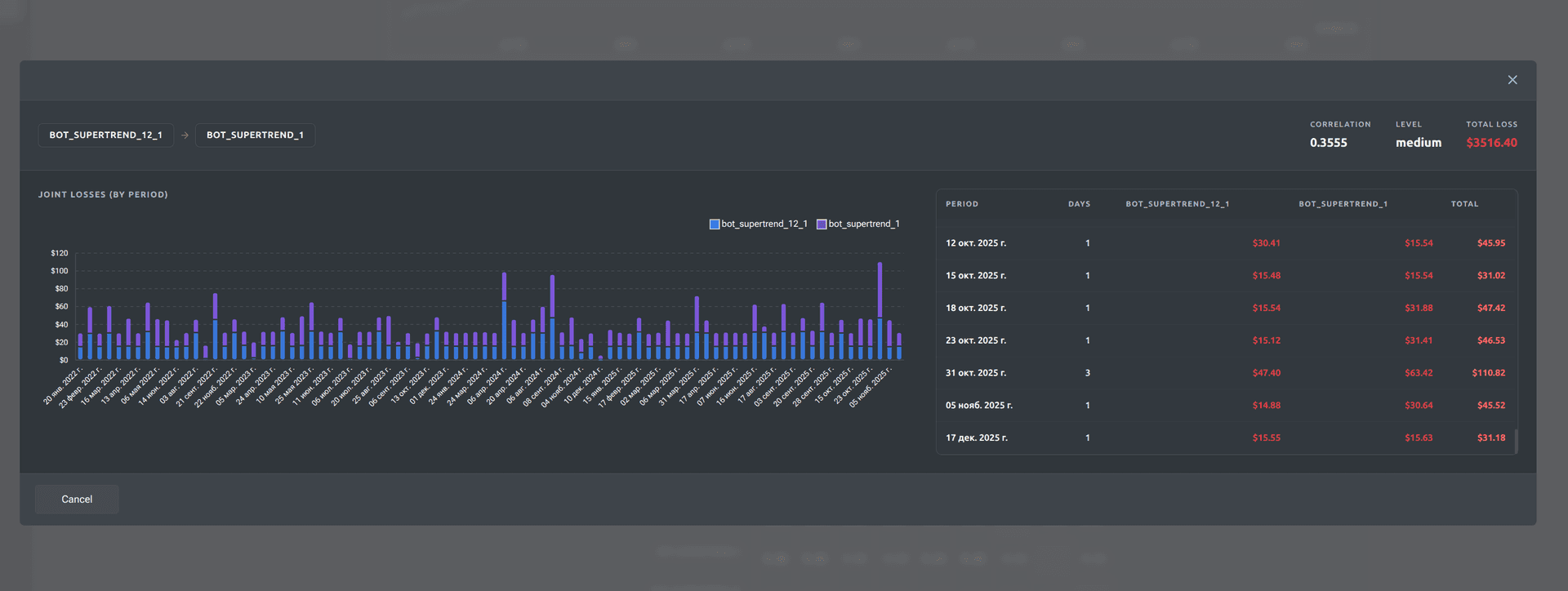
Combine multiple strategies into one portfolio. Veskald shows the combined equity curve, the overall Sharpe Ratio, correlations between strategies, and how they offset each other's drawdowns. Three average strategies with low correlation can give a smoother curve and less drawdown than one "perfect" one.
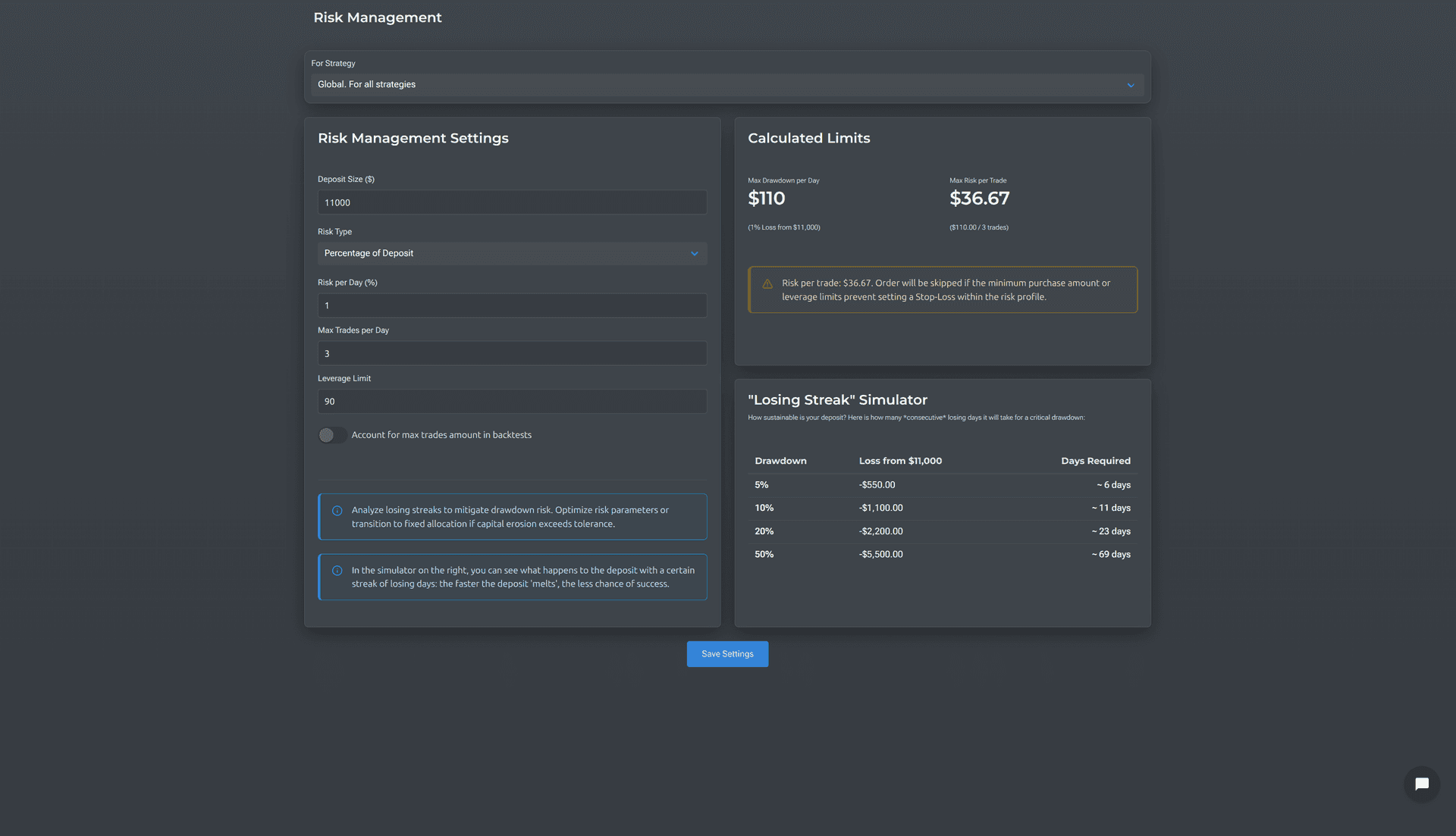
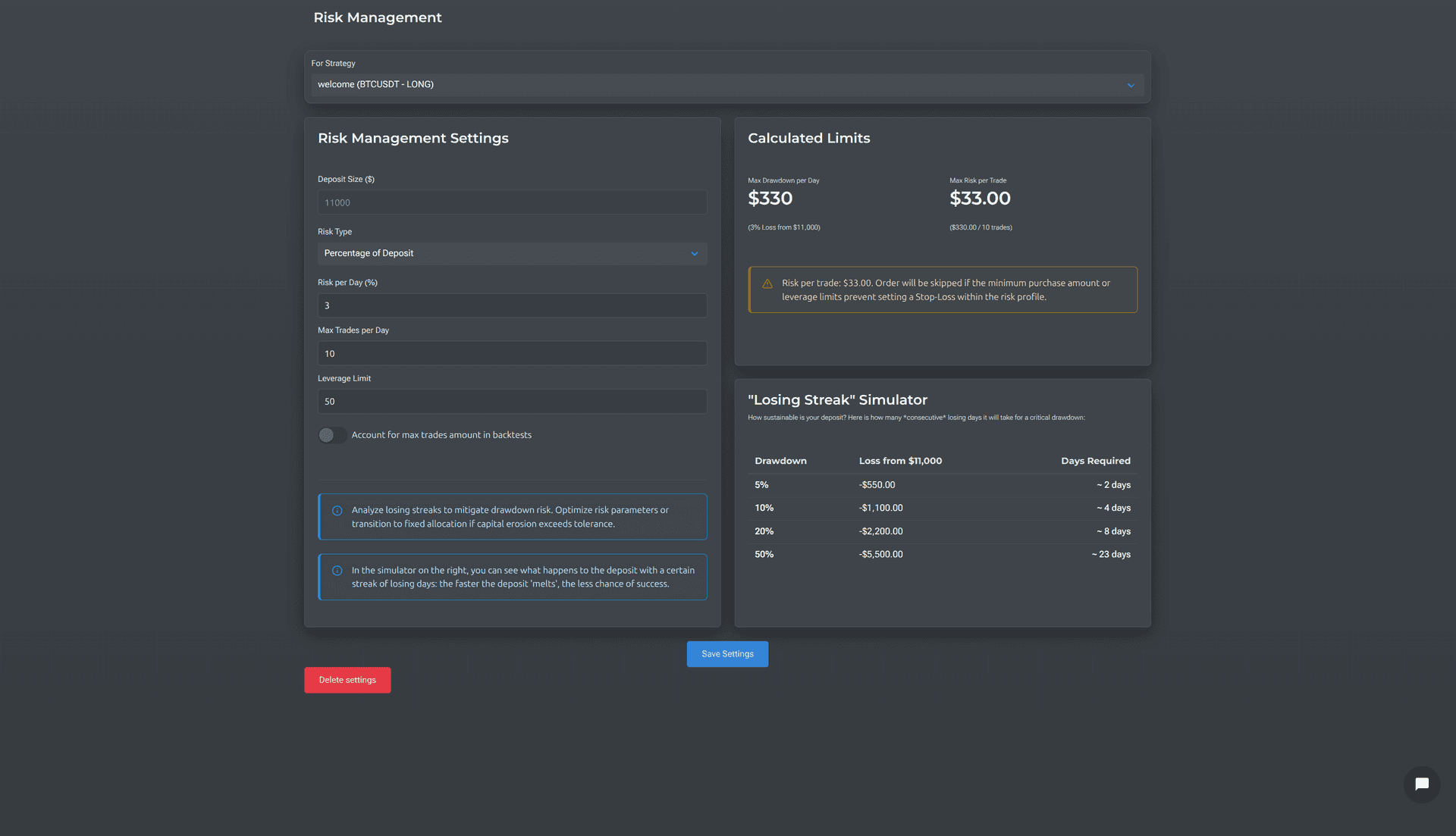
Risk management at portfolio level
Global rules for all strategies: daily loss limit, max trades per day, leverage limit. Plus individual settings for each strategy.
The "What if" calculator shows how many days it would take to hit a certain drawdown at your current settings — so you can tell whether your approach is too aggressive.
Your strategies and money — only yours
Three principles we never violate:
Strategies encrypted
Dual-key encryption scheme: your key + our key. Useless on their own. Privacy by default: your trading logic is known only to you.
Read-only API keys
The platform connects to the exchange via keys with no trading or withdrawal rights. We see positions — and nothing more.
Trading keys on your server
Automated execution works via an open-source Docker script that you host yourself. Trading keys are never passed to Veskald. We'll help with installation and setup.
Additionally: 2FA, IP-whitelisting, temporary access keys with limited validity.
Veskald vs other tools
| Feature | Veskald | SQX | 3Commas | QC | TV |
|---|---|---|---|---|---|
| Web platform (no installation) | — | ||||
| No-code strategy builder | — | — | — | ||
| Crypto futures (perpetual) | — | ||||
| Backtest including funding | — | — | — | ||
| Automated strategy tuning | — | — | — | ||
| Overfitting control (IS/OOS) | — | — | — | ||
| Multiple take-profits | — | — | |||
| Dynamic risk management | — | — | — | — | |
| Trading journal with replay | — | — | — | — | |
| Execution Log (backtest vs reality) | — | — | — | — | |
| Report (Red Flags, trends, order book) | — | — | — | — | |
| Strategy portfolio with correlation | — | — | |||
| Self-hosted execution (Docker) | — | — | — | — | |
| Strategy encryption | — | — | — | — |
QC = QuantConnect, TV = TradingView, SQX = StrategyQuant X
Integrations
Direct connection to exchanges via API for data retrieval and notification delivery.




Start for free. Grow as needed.
Frequently Asked Questions
No. TradingView is a chart analysis tool. Veskald is an environment for creating, testing and launching trading strategies. You can use both: find ideas in TradingView, test and launch in Veskald.
No. Strategies are created through a visual builder — you pick indicators, conditions, and parameters from menus. No code needed at any stage.
No. The platform connects via API keys with read-only rights. Trading keys are used in a Docker script that runs only on your server. Veskald physically has no access to your funds.
Manually, you can try 10–20 parameter combinations. Our automated tuning algorithm runs through thousands. And Veskald optimizes for stable equity curve growth rather than maximum profit — which is what protects against overfitting.
The backtest accounts for exchange commissions, slippage, and funding. On trades up to $300, the deviation from real results is less than 0.5%. You can verify this in the Execution Log.
Strategies are encrypted with a dual-key system: your local key and our server key. Useless on their own. Even the Veskald team cannot read your trading logic.
Binance, Bybit, OKX, and others. The current list can be found in the "Integrations" section above.
A template is a saved strategy setup you can reuse as a starting point. Pick a ready-made template from the library or save one of your own. When you build a new strategy from it, you tweak the copy — the original template stays untouched, so your proven setups never get accidentally broken.
Presets are ready-made settings for individual indicators (RSI, MACD, Bollinger Bands, etc.) — proven values you can drop in instead of guessing parameters. A template is broader: it stores the whole strategy (indicators, conditions, risk settings). Use presets to set up parts faster, templates to reuse a full strategy as a foundation.
From idea to working strategy — no code, no illusions
Create your first strategy, test it on real data, and review every trade — for free, no card required.
No credit card required